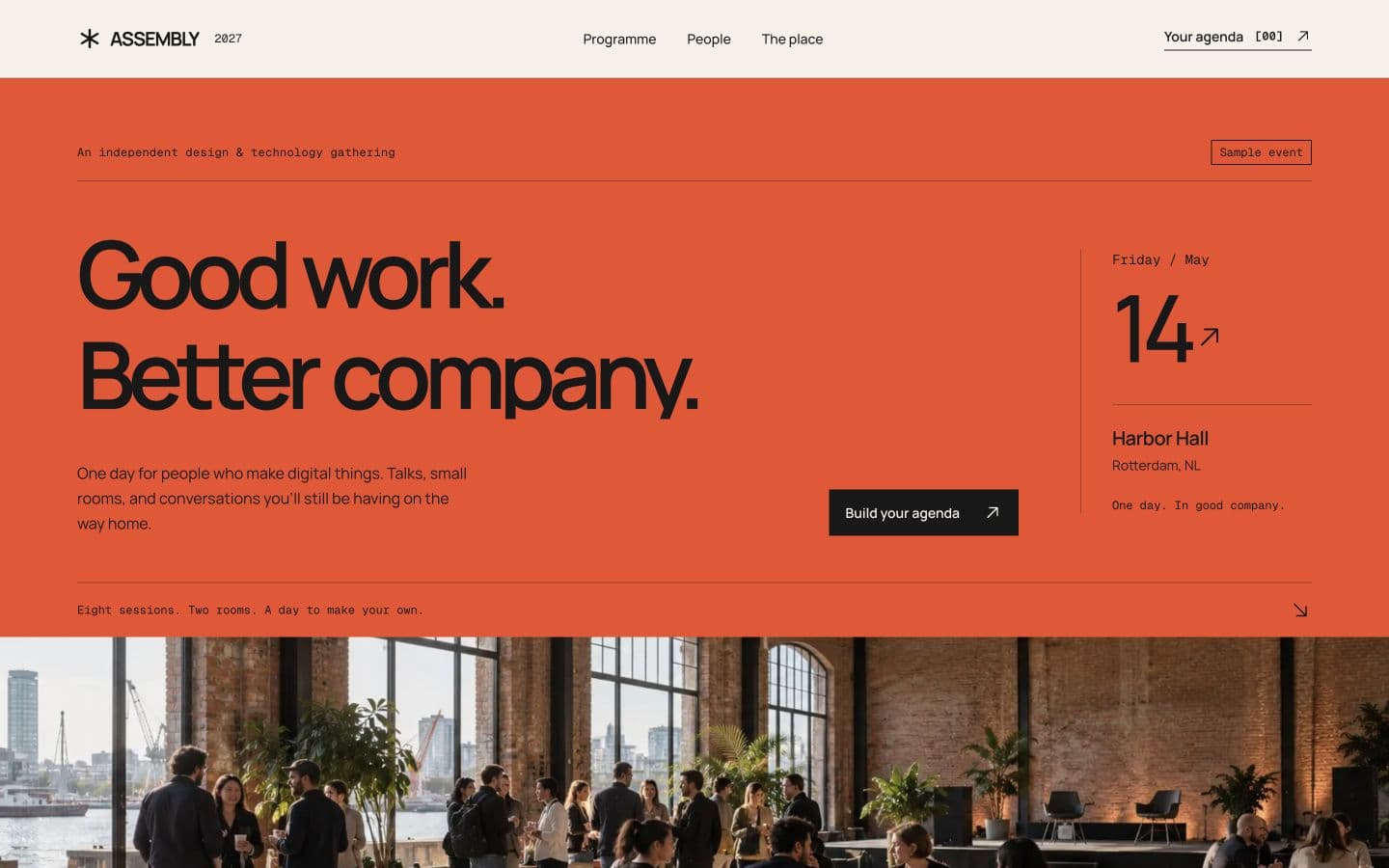
Design conference
A bold event poster in vermilion, paper and black ink. An interactive two track programme, speaker roster and personal agenda with calendar export.
- Event
- Poster typography
- React Bits
- Agenda builder
Set up
- 1
Download it
For Next.js App Router with React 19, Tailwind CSS v4, and the @/ import alias.
$npx senn-ui@latest add design-conferencePrefer to copy the files manually?
Copy
src/templates/design-conferencefrom GitHub, including its assets and license files. Install its packages:$npm i gsap @gsap/react motion @phosphor-icons/react cnIf your project has no
src/lib/utils.ts(orlib/utils.ts), create it with:export { cn } from "cn"; - 2
Render the template
Add this to
src/app/page.tsx(orapp/page.tsxif your project has no src folder).import Template from "@/templates/design-conference/page"; export default function Home() { return <Template />; } - 3
Make it yours with your AI agent
Paste into Claude Code, Cursor, Codex or any coding agent. It asks about your event and programme, then rewrites the copy, colors and images.
I'm using the "Design conference" template from Senn (MIT; bundled third party components retain their own licenses). Make it the landing page for my own event, using verified programme and venue information.

The template lives in `src/templates/design-conference/`:
- `content.ts`: every word, number, link and image, plus the data the product mockups show. Most of the work happens here.
- `theme.css`: colors and motion as CSS variables on the `.assembly` class.
- `page.tsx`: loads the fonts and puts the sections in order.
- `assets/`: the template's photos, imported in content.ts.
- `sections/` and `components/`: layout and animation. Leave these alone unless I ask.

Steps:
1. Before editing anything, ask me what you need to know in one short list: event name, audience, verified date and timezone, venue and access information, sessions with start/end times and rooms, real speakers and biographies, contact address, ticket provider, common questions, and brand colors. Never invent speakers, credentials, sponsors, venue access claims or ticket availability. If I don't have something yet, leave a clear TODO in content.ts.
2. Rewrite `content.ts` for my event. Keep the same structure and field names. Write specific, plain copy: concrete outcomes and real numbers, no filler, no buzzwords, sentence case headings.
3. Rebrand: change the wordmark in content.ts, rename the `.assembly` class and the `--assembly-*` variables to my brand, and rename the page component.
4. Update the colors in `theme.css` to my brand. Check that text stays readable on every photo, in both light and dark areas.
5. Replace the photos in `assets/` with mine, or ask me for them. Keep the imports in content.ts in sync.
6. If the page isn't rendered yet, render it on my home route: import the default export of `src/templates/design-conference/page.tsx` in `app/page.tsx`.
7. Keep every section, layout and animation. Don't add dependencies.
8. Run the dev server and check the page at desktop and phone widths: no text overflowing, no single word alone on a heading's last line, every link and button pointing somewhere real.
9. Preserve any bundled LICENSE and third party license files when adapting or distributing the template.

Notes for this template:
- Assembly, its speakers and Harbor Hall are fictional. Replace all event, venue and speaker details with verified information, then remove the sample labels. Supply a real contact address and ticket provider before announcing a real event.
- Sessions use explicit ISO timestamps with UTC offsets. Update event.timeZone, every session start/end, programme breaks, all date labels, calendarDomain, calendarFile and storageKey together. The planner rejects overlapping sessions and exports only the visitor's selected sessions as a timezone correct .ics file.
- Programme filters include shared sessions in both tracks. Keep speaker IDs and session IDs connected. Biographies expand in place; their links return to the correct programme row.
- The two generated venue images live in assets/hall.jpg and assets/venue.jpg. Replace them with real event photography, updating alt text and object positions in content.ts. The original generation prompts are documented in assets/IMAGE_SOURCES.md.
- Preserve REACT_BITS_LICENSE and THIRD_PARTY_NOTICES.md. React Bits components retain their upstream MIT + Commons Clause terms; Senn's MIT license does not relicense them. The project owner confirmed redistribution permission for this template.
- The demo is noindex in Senn. Add real metadata and optional Event structured data in the host app only after the date, location, organiser and booking details are verified. Downloading the agenda does not reserve admission.
- 4
Run it
$npm run devThen open localhost:3000.